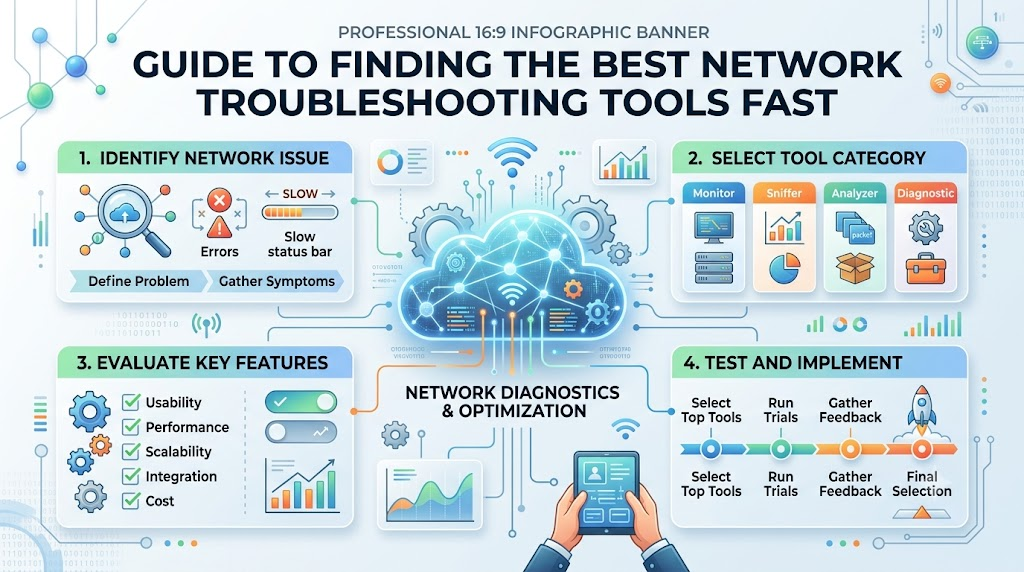
Computer networks are like digital roads for information. When you want to play a game or watch a video, messages travel along these roads in tiny digital boxes called packets. Sometimes, these digital roads get blocked. That causes websites to freeze and games to lag.
Network engineers use special software tools to find and fix these road blocks quickly. These tools work just like digital flashlights and mechanics. You can learn how modern systems work and build your tech skills by visiting Noopsschool. With the right tools, you can discover where the problem is and solve it in minutes.
What Are Network Diagnostic Tools and How Do They Work?
When your internet slows down, you must figure out why. A network diagnostic tool acts like an X-ray machine for your digital wires. It inspects data as it moves between your computer and outside servers. These tools give you immediate answers about your connection speed and system health.
[Your Computer] ---> [Diagnostic Tool] ---> [Network Router] ---> [Internet Server]
These applications check whether devices can talk to each other. They time how long it takes for a message to complete a round trip. They also point out broken cables, bad settings, and slow routers. By checking your network regularly, you catch small glitches before they become massive crashes.
Packet Sniffing Tools
Packet sniffers act like digital magnifying glasses. They let engineers peek inside each message traveling through a cable.
These tools show you who sent the data and where it is going. They also show if files arrived broken or missing. Because of this, packet tools help you spot tricky software bugs fast.
Path Tracking Utilities
Path trackers work like digital maps. They show every step a packet takes from your desk to a far-away server.
Each stop on the route is called a hop. If one hop stops responding, the tool flags it on your screen. This helps you identify the exact broken router causing slowdowns.
Bandwidth and Traffic Monitors
Bandwidth monitors work just like highway traffic cameras. They measure how many cars are traveling on the road at once.
If one app downloads huge files, it hogs all the space. These monitors reveal the greedy app right away. Once you see the traffic hog, you can quickly clear the road.
Device Discovery Scanners
Device scanners send a quick hello message across your whole local network. Every connected phone, laptop, and printer sends a reply back.
The scanner lists all these gadgets on a neat screen. This stops unauthorized people from secretly using your Wi-Fi. It also helps tech teams count company equipment.
Key Operational Concepts You Must Know
To fix broken networks, you must understand a few core concepts. Many people confuse the words speed, bandwidth, and latency, but they mean different things. Bandwidth tells you the total size of your digital pipe. Throughput tells you how much actual data moves through that pipe each second.
Latency tells you how long a message takes to travel to a server and come back. If latency is too high, everything feels slow. Packet loss happens when pieces of data get lost on the way. When packets go missing, your computer must ask for them again, which causes annoying lag.
The table below explains these basic network terms clearly:
| Term | What It Means | Why It Matters | How to Fix It |
|---|---|---|---|
| Latency | The travel time of data. | Stops screen lag and freezes. | Pick closer server routes. |
| Packet Loss | Lost data along the path. | Prevents dropped calls and game disconnects. | Replace worn cables or routers. |
| Throughput | Real data delivered per second. | Controls download and streaming speeds. | Remove traffic bottlenecks. |
| Jitter | Bumpy arrival times for packets. | Keeps voice calls clear and crisp. | Set up smart traffic rules. |
You must also learn how internet addresses work. Devices use number labels called IP addresses to locate one another. Systems use the Domain Name System to turn friendly website names into these numbers. If this lookup system fails, web browsers cannot find websites.
Platform Implementation vs. Culture — What’s the Real Difference?
Buying top diagnostic software does not automatically give you a fast network. A tool is just an instrument. A platform gives your team the buttons, dials, and alerts needed to watch your system. However, your team also needs a healthy culture to succeed.
Culture means how humans act every day. A good tech team works together to prevent problems before they start. If people hide errors or ignore warning lights, the best tools cannot help. High-performing companies mix reliable software platforms with smart, cooperative team habits.
Here is how platforms and team culture look for different roles:
- Support Technicians
- Platform: Running quick device scans to identify broken office printers.
- Culture: Writing clear notes so teammates can solve the same issue later.
- Network Engineers
- Platform: Setting automated alarms for sudden traffic surges.
- Culture: Reviewing router errors together without blaming coworkers.
- IT Directors
- Platform: Buying reliable monitoring dashboards that show overall uptime.
- Culture: Giving teams regular time to learn new technical skills.
Real-World Use Cases of Modern Operations
Online gaming companies rely on diagnostic tools every single second. If a player presses a jump button, the game must respond right away. Companies place testing tools across the world to check data speeds constantly. If a fiber line breaks, automated tools instantly shift players to another line.
Hospitals also rely on healthy networks to save lives. Doctors share high-resolution scans and check vital signs through hospital Wi-Fi. Diagnostic tools constantly scan hospital networks to protect medical gear from dropping offline. If a nurse workstation loses its connection, the monitoring system alerts technicians immediately.
Global online shops use troubleshooting tools to protect checkout pages. If a shopping site loads too slowly, customers leave without buying anything. Smart tracking tools follow real shopper connections to pinpoint slow servers. Engineers then fix the bottlenecks before a big shopping holiday begins.
Common Mistakes in Operations Engineering
A very common mistake is buying more bandwidth to fix slow connections. If your network suffers from a bad routing loop, extra bandwidth solves nothing. The packets will still get lost along the way. Always use diagnostic software to locate the true bottleneck before spending money on larger internet plans.
Another mistake is ignoring small, intermittent alerts. Technicians sometimes turn off warning beeps because they happen too often. Doing this creates dangerous blind spots in your network. Small errors usually show up right before a massive hardware failure occurs.
Lastly, many teams forget to map their physical and digital cables. When a sudden outage strikes, engineers waste hours guessing which wire connects to which switch. Keeping clear, up-to-date network maps saves crucial minutes during emergencies. Good documentation always leads to rapid fixes.
How to Become an Operations Expert — Career Roadmap
Becoming a skilled network troubleshooter takes curiosity, study, and steady hands-on practice. You do not need to learn everything in one day. Start by understanding how home routers send data to your laptop. After that, you can practice using free command-line utilities.
The table below outlines four simple steps to guide your learning journey:
| Stage | What to Learn | Free Tools to Try | Key Milestone |
|---|---|---|---|
| Stage 1: Beginner | Basic wires, Wi-Fi bands, and IP numbers. | Ping and Traceroute. | Test your home router latency. |
| Stage 2: Explorer | Network ports and packet structures. | Wireshark and IP Scanners. | Capture and read a web packet. |
| Stage 3: Builder | Switch setups, firewalls, and subnets. | Virtual Network Labs. | Build a safe practice network. |
| Stage 4: Pro | Cloud links, automation scripts, and metrics. | Python and Open Monitors. | Fix complex outages automatically. |
As you learn, set up a small home lab. You can link old laptops, cheap switches, and test phones together. Practice unplugging wires and changing IP settings to see what breaks. Fixing simulated errors in your lab builds the real confidence needed for enterprise IT jobs.
FAQ Section
- What is the simplest tool to check if a website is online?The simplest tool is the ping command. It sends a quick digital poke to a server and waits for a reply. If you get a reply, the server is awake and reachable.
- Why does Wi-Fi usually have more latency than an ethernet cable?Wi-Fi sends signals through the air using radio waves. Physical walls, furniture, and other wireless signals can easily bounce or scramble these waves. Ethernet cables carry data inside shielded copper, which protects the signal from interference.
- Can bad cables cause packet loss on a wired network?Yes, old, pinched, or badly bent cables easily cause packet loss. When internal wires get damaged, electrical signals get distorted. The receiving router drops the corrupted data, forcing your computer to resend it.
- What does a traceroute command show you?Traceroute displays every router hop your data visits along its journey. It lists each stop by address and shows the travel time for each step. This makes it very easy to spot which router is running slow.
- Is it safe to run packet capture tools on public Wi-Fi?Most modern web traffic uses strong encryption to scramble your private data. However, running diagnostic tools on networks you do not own can violate security rules. Always get permission before testing networks at school or work.
Final Summary
Network diagnostic tools act as essential instruments for keeping our digital lives running smoothly. When web connections slow down, these software tools help technicians pinpoint and repair problems without guesswork. Understanding the basic differences between speed, latency, and packet loss helps anyone become a far better troubleshooter.
Great tech operations require a healthy combination of capable platforms and supportive team habits. Learning how to read packet traces and monitor network traffic opens the door to exciting careers in IT. Start small by testing your own home devices, keep asking questions, and continue practicing your skills every day.